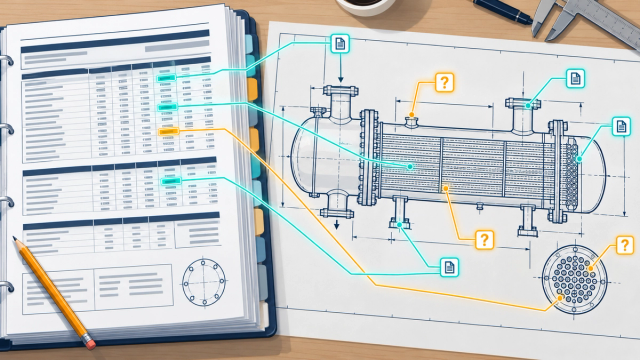
Engineers think in three dimensions and draw in two. A fabrication drawing is a clever compression: an elevation, a plan, two end views, a dozen details, a parts list, and a reader trained for years to rebuild the object in their head.
When RevE could finally read all of that, a user asked the obvious question: "Can I see it?"
So RevE now builds the exchanger, or the pressure vessel, in 3D from what it has read. What surprised me wasn't that it worked. It was that the 3D model turned into one of the best checkers of the drawing we have.
Green means read, grey means assumed
The rule that runs through everything in RevE applies here too: never pretend to know something you don't.
Every part in the 3D model carries its status. Green parts were read from the drawing, with sizes and positions traceable to a view, a table or a parts-list row. Grey parts are assumed, placed by standard proportions until a view confirms them. Click any part and RevE shows where each of its dimensions came from.

There are several ways to look inside: solid, a glass look that keeps the status colours, a glass look in part colours, and an x-ray view. There's also an exploded view, a cut-away along the axis, and a true-scale mode with a scale bar and drawing-style dimensions.

Teaching the model to read the details
The first 3D models were honest but rough. They came from the parts list and the main views, and too much was grey. So we taught RevE to read the detail views, the small boxed drawings around the edge of the sheet where the real fabrication knowledge lives.
The approach follows the same pattern as everything else in RevE. Code reads what it can first: the spacer table row by row, baffle pitch from the spacer lengths, dimensions printed as text. Then a single AI call looks at the detail views (through the privacy layer, so only the protected copy). Then code checks every answer: every number must actually be printed in that detail view, the first and last baffle must match a spacer, the pitch must match the table, and every joint part must exist in the parts list. Anything that fails goes to review.
To prove the checks worked, we planted five deliberate errors in a simulated answer. All five were caught.
On a four-sheet floating-head (AES) exchanger, the result was dramatic:

- values read from the drawing rose from 339 to 409;
- assumed values fell from 53 to 2;
- 3D parts read from the drawing rose from 40 to 65, with only 2 still assumed;
- 78 of 108 parts-list rows now have a 3D part. Nine of the remaining 30 are a hydro-test fixture, left out on purpose.
The tube layout is read straight from the tubesheet view: 294 holes in 18 rows at 25.399 mm square pitch, matching the drawing exactly.

The 96-millimetre lesson
Here's the story I tell engineers, because every one of them nods.
When we first compared the 3D model with the drawing view by view, every nozzle, saddle and lug placed from the views sat 96 mm too far back. The arithmetic was right. The parts were right. Everything was off by the same amount.
The cause was the datum. The drawing measures from the shell-side face of the stationary tubesheet. The model was measuring from the start of the shell, and the shell flange in between happens to be 96 mm thick. One reference point, chosen differently, moved the whole exchanger.
Every engineer has been bitten by a datum at some point, and so had we. Once the model measured from the drawing's own datum (now shown in the viewer as "0 datum"), the nozzles, saddles and girth flanges all landed on their printed positions.
When the 3D model questions the drawing
Then something more interesting happened. Once the baffles were placed from the spacer table, the far end of the tie rod landed within 9 mm of where the detail view shows it. Before, it had been 358 mm off. Three independent sources (the spacer table, the tie-rod length and the detail drawing) now agreed. That's what a sound design looks like.
But at the floating head, they didn't agree. The detail view shows 24 bolt holes. The parts list has 16 studs of one length and 8 of another, and the shorter studs turn out to be too short for the thickness they must clamp.
That isn't a reading error. It's a question for the drawing's author, and it's exactly the kind of thing a 3D model surfaces and a 2D review can miss. RevE doesn't "fix" it. It flags it, explains it, and leaves it to the engineer.
We were honest about our own shortfalls too. The model is about 15 mm shorter overall than the drawing (5,409 against 5,424 mm), because the gaskets are drawn within the joint faces rather than adding their thickness. We know why, we've written it down, and it's on the list.
Vessels as well as exchangers
The same approach now covers pressure vessels. RevE builds the shell courses, cones and heads from the drawing's height chain, then adds the details: internal elbows, body flange joints, pads, stiffeners, legs, lugs, rings and demisters. Where a vessel drawing leaves something unstated, such as a support type or the nozzle positions, it appears grey, with a note saying why.

Why a 3D model belongs in a drawing tool
I didn't build the 3D view for the wow factor, although it has plenty. I built it because a model is unforgiving in a way paper isn't. On paper, a stud can be too short and nobody notices until assembly. In 3D, the stud simply doesn't reach the nut.
That's the real value for a fabrication shop: a check that the drawing describes something that can actually be built, before the material is cut.
Next, in Part 7: real drawings are messy. Hindi in old fonts, crossed-out blocks, duplicate sheets, and text running the wrong way.
#3DModeling #EngineeringDesign #HeatExchangers #PressureVessels #IndustrialAI #DigitalTwin #Fabrication #Manufacturing #MechanicalEngineering #SandurTech
Disclaimer
This series introduces SandurTech RevE, a product in development for AI-assisted engineering drawing analysis and generation. Examples reflect our current capabilities and ongoing validation. Outputs should be reviewed by qualified engineers and verified against approved drawings, standards, and project requirements before use.